
Introduction: When Teams Stumble, Design Principles Offer a Map
Most teams face the same tired problems. Low energy during meetings. Miscommunication that slows everything down. A feeling that people are working in their own bubbles instead of together.

The numbers back this up. Research shows that 75% of cross-functional teams fail to meet expectations. And leaders spend an hour or more each day just fixing collaboration messes. That is a lot of time and energy wasted on things that should flow naturally.
Here is the thing. You probably know the principles of design from art class or web layouts. Things like hierarchy, alignment, and proximity. But these same principles work as a clear, reusable framework for diagnosing and fixing team problems. They are like a map when your team feels lost. The design thinking process uses a similar structured approach to solve hard problems step by step.
In this article, we will show you how to apply the principles of design to your team. You will learn simple ways to spot what is broken and fix it without guessing. Whether you are running stem team building activities or just want better communication, these ideas will help.
Contact Us to explore ready-to-use team-building activities and guides tailored to your team’s needs.
What Are the Principles of Design?
Before we jump into fixing your team, let us take a moment to understand the toolkit. The principles of design are a set of guidelines that help create clarity and order. You have probably seen them in a well laid out website or a clean poster. The main ones are hierarchy, alignment, proximity, repetition, contrast, and balance.
Here is what each one does in simple terms:
- Hierarchy shows what matters most.
- Alignment creates order by connecting related elements.
- Proximity groups things that belong together.
- Repetition builds consistency and predictability.
- Contrast makes important things stand out.
- Balance distributes weight so nothing feels too heavy.
Now here is the shift. These principles are not just for graphic designers. They work just as well on communication patterns, meeting structures, and team workflows. In fact, studies show that 73% of employees perform better when collaboration runs smoothly. That improvement starts with using clear design thinking inside how you operate as a group.
Think about it this way. A messy Slack channel has no hierarchy. A meeting where everyone talks at once has no alignment. A process that changes every week has no repetition. You can use these ideas like a diagnostic lens. They help you spot exactly what is off without guessing.
We will explore each principle in detail ahead. But for now, start noticing where your team already uses these ideas well and where they are missing.
Contact Us to explore ready-to-use team-building activities and guides tailored to your team’s needs.
Hierarchy and Alignment: The Foundation of Team Clarity
Hierarchy and alignment work together to keep teams on track. In design terms, hierarchy shows which element matters most. The same goes for your team. Who decides what? Which tasks come first? When everyone knows the pecking order of decisions, things move faster.
Alignment makes sure all those decisions point in the same direction. It is the visual guidewire that connects related elements, according to NN/g’s design principles.
In a team context, alignment means shared goals like OKRs. Without it, people work hard but pull apart.
Here is how each principle applies in practice:
| Principle | In Design | In Your Team |
|---|---|---|
| Hierarchy | Larger headline grabs attention first | Clear role ownership for decisions |
| Alignment | Grid connects all elements visually | Shared OKRs keep everyone moving together |
Try this today. Look at your last team meeting. Did everyone know the top priority before walking in? If not, your team needs better hierarchy. And did each person’s work connect to the same target? If that feels fuzzy, your team needs better alignment.
For practical ways to build these habits, try some virtual team bonding activities that build trust without expensive retreats. They are simple to run and naturally encourage clearer roles and shared focus.
If you want a structured plan to fix alignment fast, Contact Us for ready-to-use team-building guides tailored to your team.
Proximity and Repetition: Building Cohesion Through Close Interaction and Routines
Does your remote team feel a little distant? You are not alone. Many hybrid teams struggle with disconnection. Two simple design principles can fix that: proximity and repetition.
In design, proximity means placing related elements close together. Repetition means using the same patterns to create consistency (Figma).
These ideas work just as well for your team.
Proximity builds trust naturally. When team members work in the same physical space or share a regular video call, information flows faster. A shared Slack channel or weekly co-working session does the same thing.
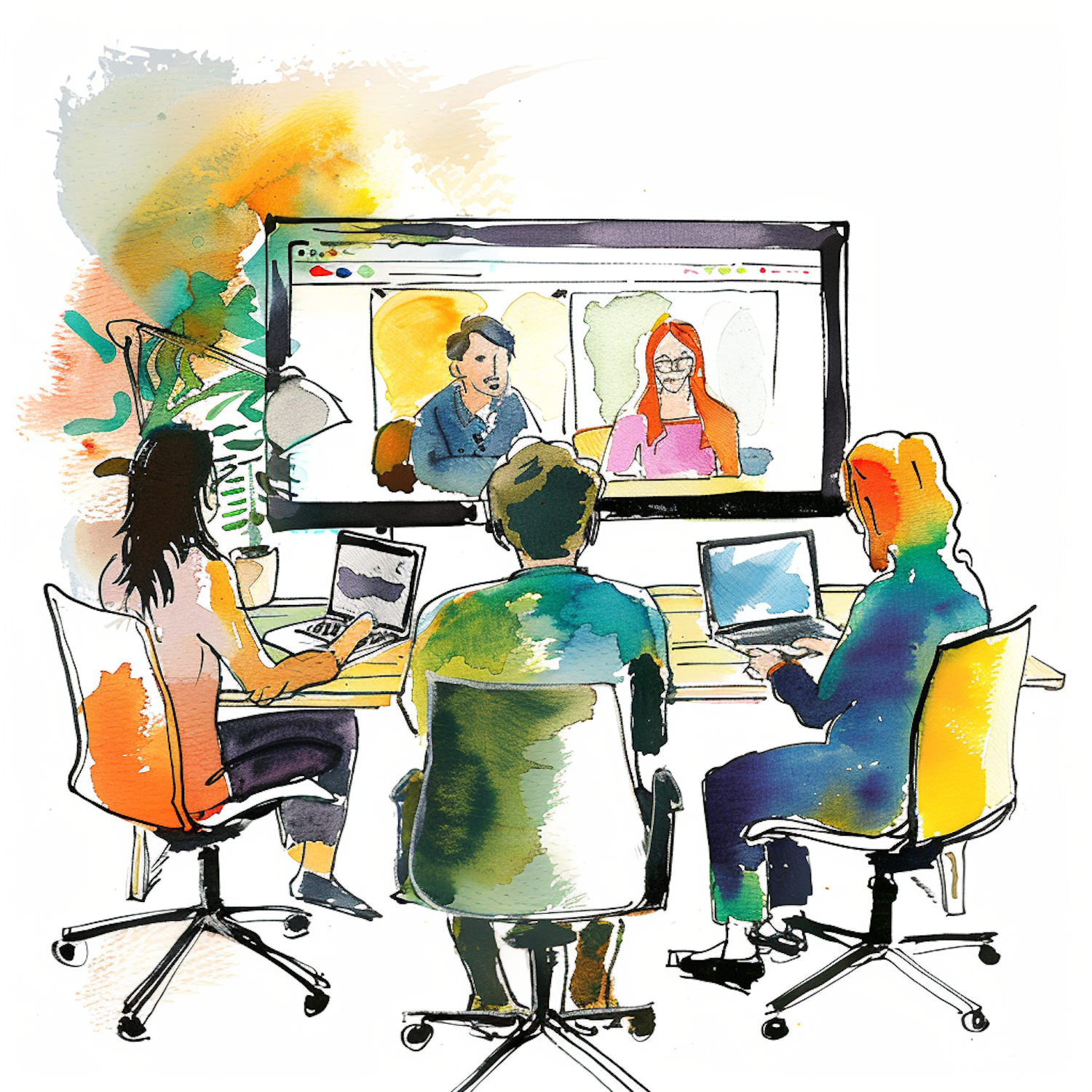
Repetition creates a steady rhythm. Consistent stand-ups, weekly check-ins, or Friday fun rituals reduce uncertainty. Over time, these routines build team identity and make everyone feel connected.
For a simple way to add a fun repetition, try some free online games for team engagement that actually work. They give your team a predictable, low-pressure routine.
If you want a shared activity that repeats naturally, Read Book 1 and start a weekly discussion. It is a light way to stay connected and build closeness over time.
Balance and Contrast: Ensuring Fair Participation and Encouraging Diverse Perspectives
Now let’s talk about balance and contrast. These two principles of design solve two team problems: one person dominating the conversation, and everyone thinking the same way.
Balance in design means distributing visual weight evenly (Toptal). On your team, balance means equal airtime. Rotate meeting leaders. Use round‑robin check‑ins. This stops loud voices from taking over.
Contrast makes differences stand out (Figma). In your team, contrast means inviting opposing views. Ask someone to play devil’s advocate. Encourage respectful debate. This sparks real innovation and helps avoid groupthink.
Both principles tie directly to meeting facilitation and conflict resolution. When you balance participation and seek diverse ideas, your team makes smarter decisions.
Want a simple way to practice balanced participation? Try these free online games for team engagement that actually work. They give everyone a fair chance to contribute.
And if you need ready‑to‑use activities that encourage diverse perspectives, Contact Us for guides tailored to your team.
Closing Communication Gaps with Proximity and Alignment
In the same way balance and contrast improve team dynamics, proximity and alignment can close communication gaps. In design, proximity groups related elements so they feel connected. For teams, proximity means creating regular, low‑friction touchpoints even when you are apart.
Try virtual co‑working spaces. Set up a persistent video room where team members can drop in to work side by side or ask quick questions. This mimics the hallway chats you miss in remote settings. Research from Gallup shows that daily check‑ins and structured communication help close the trust gap in hybrid teams.

Alignment workshops are another powerful tool. Bring the whole team together quarterly to revisit goals, clarify roles, and spot misalignment before it causes confusion. Continuous feedback, as explained in this guide, keeps everyone moving in the same direction.
Need a simple way to build alignment and shared understanding? Try these virtual team bonding activities that build trust without expensive retreats. They are quick to run and designed to spark real conversation.
If you want ready‑to‑use exercises that strengthen communication across your whole team, Contact Us. We can send you guides tailored to your team’s needs.
Proximity Tactics for Remote and Hybrid Teams
When your team is spread across time zones, the small moments that build trust often disappear. The design principle of proximity reminds us that closeness creates connection. For remote teams, you need to build that closeness on purpose.
Virtual water coolers are a simple way to start. Set up a dedicated Slack channel or a recurring video room where people can drop in anytime. No agenda, no pressure. Just a space to chat about weekend plans, share a funny photo, or ask a quick question. This mimics the hallway conversations that naturally happen in an office. According to Voltage Control, offering space for everyone to share and bond helps simulate an in‑office experience.
Shared digital spaces go beyond chat. Think of a persistent Zoom room that stays open during work hours, a virtual co‑working room, or even a shared document where team members add “what I’m working on” updates. These spaces make collaboration feel more natural. Research from Gallup shows that daily check‑ins and structured communication are key to closing the trust gap in hybrid teams.
Synchronous collaboration tools like Miro or Google Jamboard can also boost proximity. Use them for quick brainstorming sessions or design thinking process exercises. Working on the same document at the same time creates a sense of being together, even when you are far apart.
The impact on trust and knowledge sharing is direct. When team members feel close, they share more freely. They ask for help sooner. They trust that others have their back. As Leapsome points out, managing remote teams requires clear systems for connection. Proximity tactics are part of that system.
Need a ready‑to‑use activity to build proximity? Try these free online games for team engagement that actually work. They are designed to get people talking and laughing, even from a distance.
If you want a full set of proximity exercises tailored to your team, Contact Us. We can send you guides that make virtual closeness feel natural.
Alignment Workshops: Getting Everyone on the Same Page
Proximity tactics help build casual connections, but you still need structured time to get everyone on the same page. That is where alignment workshops come in. Think of these as focused sessions where the whole team clarifies what you are working toward, who does what, and what matters most right now.
A good workshop starts by laying out the vision and priorities. Use a simple roadmap or a RACI chart (who is Responsible, Accountable, Consulted, and Informed) so everyone sees how their work fits into the bigger picture. This is a core part of the engineering design process, where you define the problem before jumping to solutions.
You do not need to do these every week. A monthly or quarterly rhythm works well for most teams. According to Scale Army, building remote culture in 2026 means making connection repeatable and measuring what matters. A solid workshop schedule does exactly that.
As for facilitation, keep it simple. Start with a quick check in, review your roadmap or RACI chart together, discuss any blockers, and end with clear next steps. If you want a light icebreaker to kick things off, try some free online games for team engagement that actually work. They loosen everyone up before diving into the serious stuff.
Need a workshop framework that fits your team size and style? Contact Us for ready-to-use guides that make alignment easy.
Enhancing Meetings with Balance and Contrast
You have your workshop structure in place, but the real magic happens inside the actual meeting. Great facilitators borrow two core ideas from the principles of design: balance and contrast.
Balance means making sure no single voice takes over. You can do this with simple techniques like round-robin check ins, where everyone shares one idea before anyone shares a second. Silent brainstorming also helps quieter team members contribute without fighting for airtime. According to Voltage Control, balancing participation means actively inviting quieter voices into the conversation. A good facilitator also nudges the discussion back on track when one person starts to dominate.
Contrast means making sure different viewpoints surface. Assign a devil’s advocate to challenge the group’s first idea. Or send out pre-read assignments before the meeting so people come ready with diverse perspectives instead of thinking on the spot.
When you apply both balance and contrast, your meetings become more inclusive and more productive. It is a practical way to bring design thinking process into your everyday work. If you want ready-to-run activities that teach these meeting skills, check out virtual team bonding activities that build trust without expensive retreats.
Contact Us for facilitation guides that turn your next meeting into a space where everyone contributes.
Ensuring Balanced Participation
Balance starts with stopping one person from taking over. Even with the best intentions, some voices naturally get louder while others stay quiet. Here are three practical tools to fix that.
Talking tokens are simple. Each person gets two tokens at the start of the meeting. Every time they speak, they hand one in. When their tokens run out, they listen until everyone else has used theirs too. This forces equal airtime without awkwardness.
Timed contributions give each person a set window to share ideas. Two minutes per person keeps things fair and moves the discussion forward. Good facilitators actively invite quieter voices into the conversation, as noted by Voltage Control.
Anonymous input lets people contribute without the pressure of speaking up. Digital polls, shared documents, and voting apps work well for this. Facilitation First recommends tools like round-robin discussions to ensure full participation.
These techniques build psychological safety. When team members know they will be heard without interruption or judgment, they share more honestly. That is where real collaboration starts.
For ready-to-use games that help quieter team members engage naturally, try free online games for team engagement that actually work. If you need more structured approaches for your specific team dynamics, Contact Us for tailored team-building guides.
Using Contrast to Spark Innovation
You might think conflict in a meeting is something to avoid. But here is the truth. When you use contrast the right way, difference of opinion becomes your team’s biggest creative fuel. This idea connects directly to the principles of design, where contrast creates visual interest and helps important elements stand out.
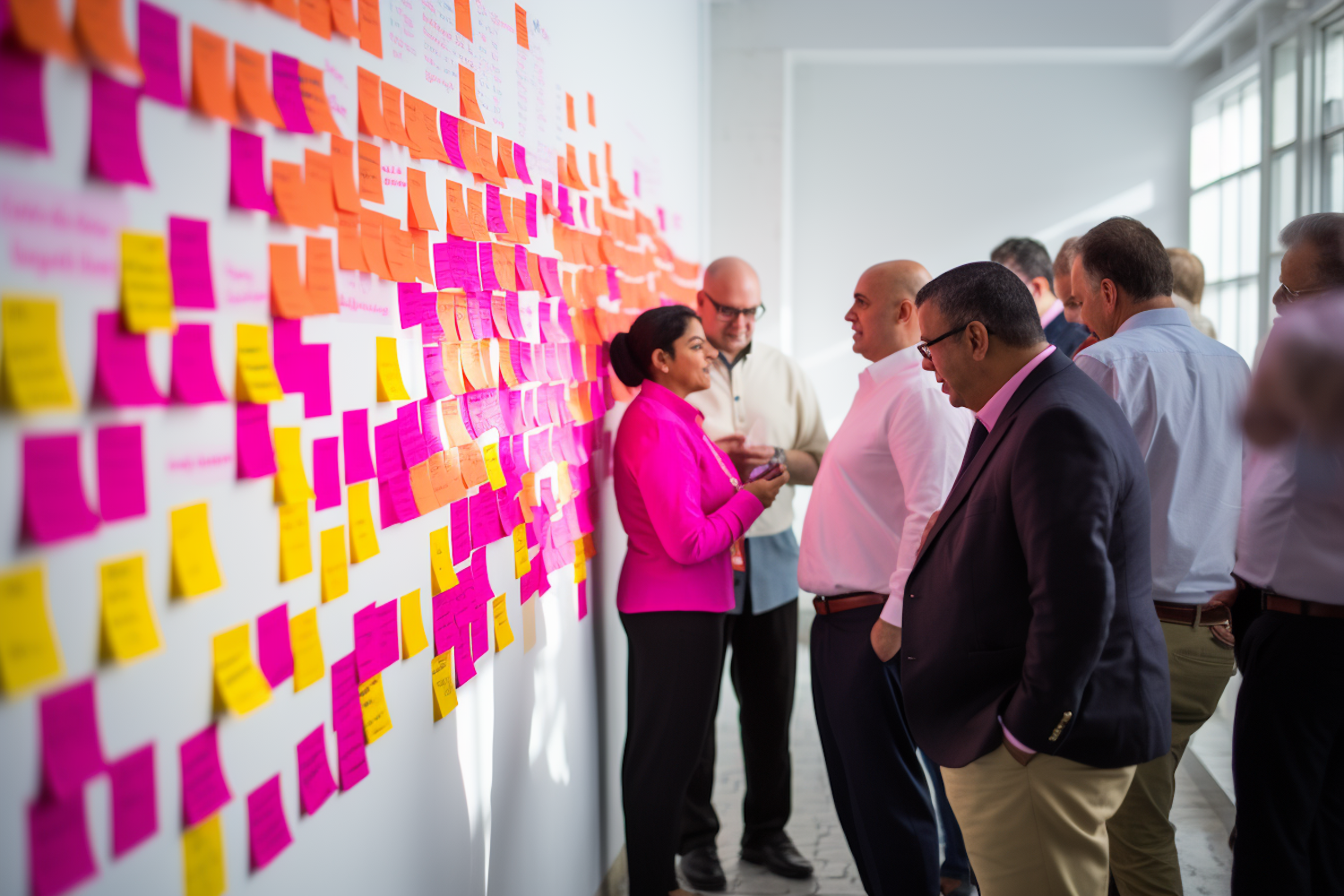
The same thinking works for teams.
The design thinking process uses this idea all the time. In a design thinking sprint, team members purposely argue for different solutions. One person defends option A. Another makes the case for option B. This structured push and pull forces the group to find stronger ideas.
Here is how to make constructive conflict work without hurting anyone:
- Use a point-counterpoint format. Assign two people to argue opposite sides of a problem. Give each person five minutes to present their case. No interruptions allowed. This turns disagreement into a game instead of a fight.
- Keep arguments about ideas, not people. Set a ground rule at the start. You can attack the logic of an idea, but you cannot attack the person who shared it. Good facilitation skills include knowing how to redirect energy away from personal attacks. SessionLab calls this staying aware of what happens when a group works together.
- Follow a strict timebox. In design thinking sprints, you often have just a few minutes to argue each point. The clock keeps things fast and prevents drawn-out fights.
This approach works great for STEM team building activities and team building puzzles, where multiple solutions exist and the best one wins through debate. When your team learns to use contrast constructively, they find ideas they never would have found by playing nice.
For more structured ways to help your team practice creative debate, explore our collection of virtual team bonding activities that build trust. If you need customized approaches for your group’s dynamics, Contact Us for tailored team-building guides.
A Step-by-Step Problem-Solving Framework Using Design Principles
We just covered how contrast fuels creative debate. Now let’s zoom out and look at a full step-by-step framework that uses all the principles of design to solve team problems. Think of it as a simple four-step loop: Diagnose, Apply Principle, Prototype, Iterate.
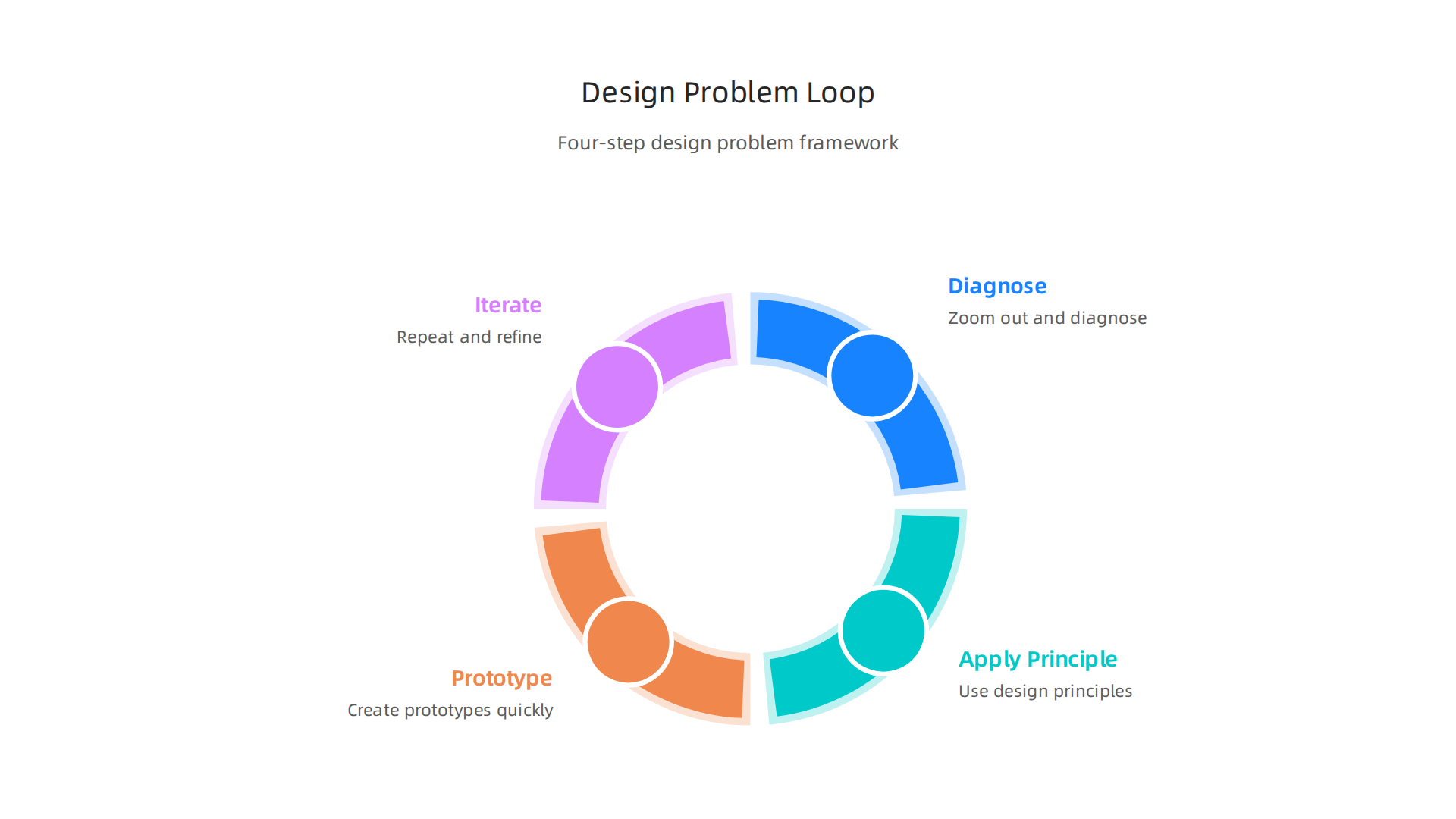
Step 1: Diagnose. Start by figuring out the real problem. Use hierarchy to spot the biggest issue. The design thinking process often begins with empathy and definition Differenz System.
Your team does the same here.
Step 2: Apply Principle. Pick one design principle to guide your solution. Need clarity? Use alignment. Need consistency? Use proximity. Need visual appeal? Use balance.
Step 3: Prototype. Build a quick test version of your idea. Use repetition to practice and refine. Keep it fast and cheap.
Step 4: Iterate. Compare your prototype to the goal. Use contrast to see what works and what doesn’t. Then loop back.
This framework works great for STEM team building activities and team building puzzles where multiple solutions exist. For more practice ideas, check out our free online games for team engagement that actually work. And if you want a custom framework for your team, Contact Us for tailored guides.
Step 1: Define the Problem with Hierarchy
The first step in the Diagnose phase is getting everyone on the same page. Here is the thing about team problems. They often look like a big tangled knot. You need a way to untangle it.
That is where hierarchy comes in. This principle of design helps you sort what matters most from what can wait. Your goal is to separate symptoms from root causes. This matches the Define stage of the design thinking process, where you frame the real challenge before jumping to solutions.
Here are two simple tools to use with your team:
- Problem Tree Analysis: Write the main issue as the trunk. Causes become the roots. Effects become the branches. This stops your team from wasting time on surface level fixes.
- Priority Matrix: Rank each root cause by impact and urgency. What will cause the biggest problem if you ignore it? Do that first.
You can turn this into a fun session by framing it as a team building puzzle. It forces clear thinking and group agreement. To build the trust needed for this open conversation, try some simple warm ups. Look at our guide on virtual team bonding activities to get started.
A shared experience, like a book, can also change how everyone sees the problem. Give the group a witty sci-fi comedy to share and discuss.
Step 2: Apply Alignment and Proximity
Once your team agrees on the root problem, it is time to get everyone truly on the same page. Alignment means that each person shares the same understanding of the problem and the desired outcome. Without it, people work in different directions. Proximity is a key principle of design that means keeping related elements close together. For teams, it means working closely through shared sessions or tools, even if you are remote.
A great way to do this is to run a focused design thinking workshop. These workshops help teams align quickly by moving through the stages of the design thinking process together. A structured format, like a remote team alignment sprint, can work wonders. Try a one day virtual session using a shared whiteboard. Start by restating the problem using the Priority Matrix from Step 1. Then have each person write their desired outcomes on sticky notes. Group similar outcomes together. This forced proximity creates shared vision fast.
To make these sessions smooth, you need the right warm ups. Check out our guide on virtual team bonding activities that build trust without expensive retreats to get started.
A quick design thinking workshop can align your entire team in just a few hours. If you want ready to use activities for your next alignment sprint, Contact Us for tailored guides.
Step 3: Iterate with Balance and Contrast
Once your team is aligned, it is time to generate and test ideas. The design thinking process works best when everyone contributes equally. That is balance. And when you challenge each idea by looking at it from different viewpoints, that is contrast. These two principles of design help you move from good ideas to great ones.
Use balanced participation first. Run a round-robin brainstorm where each person shares one idea before anyone shares a second. This stops dominant voices from steering the session. According to research on the design thinking process, including all perspectives early leads to stronger innovation.
Then use contrasting critiques. After the first batch of ideas, have the team point out what is different or surprising about each one. This contrast reveals hidden weaknesses. Then build a rapid prototype. It does not have to be fancy. A sketch, a wireframe, or even a roleplay works. Show it to the team and get honest feedback. The faster you prototype, the faster you learn. The five stages of the design thinking process emphasize moving from ideation to prototyping quickly.
Add repetition with daily stand-ups. Each day, have each person share what they built, what they learned, and what they will try next. This feedback loop keeps momentum going. For a light way to build team connection during iteration, try some free online games for team engagement between stand-ups.
To get structured support for your next iteration sprint, Contact Us for team-building guides that fit your team.
Conclusion: From Principles to Practice – Your Next Steps
You now have six principles of design to guide your team toward better collaboration. But knowing them is only half the journey. The real magic happens when you put them into action.
Start small. Pick just one principle to focus on this week. Maybe run an alignment workshop where your team defines a shared goal before starting a project. Or try a short round-robin brainstorm to bring in quieter voices. Many teams struggle because they skip preparation. A common pitfall in organization design is inadequate preparation and lack of stakeholder buy-in. Do not let that be you.
Build trust slowly. Ground everything in real research. The design thinking process works best when you treat user research as a generative practice, not a final checkbox. Ask your team what they need. Listen. Then adjust.
Keep it practical. Use icebreakers, puzzles, or short team building puzzles to practice these principles in a low-stakes way. Need a fun start? Try some free online games for team engagement between serious sessions.
Your next move. Choose one principle and try it this week. No long planning. Just do it. And if your team needs more structured help, Contact Us for guides that make the engineering design process feel natural and fun.
Remember: great teams are not born. They are built one principle at a time.
Summary
This article shows how classic design principles—hierarchy, alignment, proximity, repetition, contrast, and balance—can be repurposed as a practical toolkit for diagnosing and fixing team problems. Rather than vague management advice, it teaches concrete ways to spot what’s broken (e.g., missing hierarchy or repetition), choose the right principle to apply, prototype a fix, and iterate. You’ll get specific tactics for remote and hybrid teams—virtual water coolers, persistent co‑working rooms, synchronous whiteboards—and meeting techniques like talking tokens, round‑robin shares, and point‑counterpoint debates to increase fairness and creativity. The piece also outlines how to run alignment workshops, cadence recommendations (monthly/quarterly), and a four‑step loop (Diagnose → Apply → Prototype → Iterate) so teams can move from insight to action. Short exercises and free online games are recommended to build trust and practice skills in low‑stakes ways, and readers are encouraged to start by testing one principle this week.